Release Date 30.10.2026
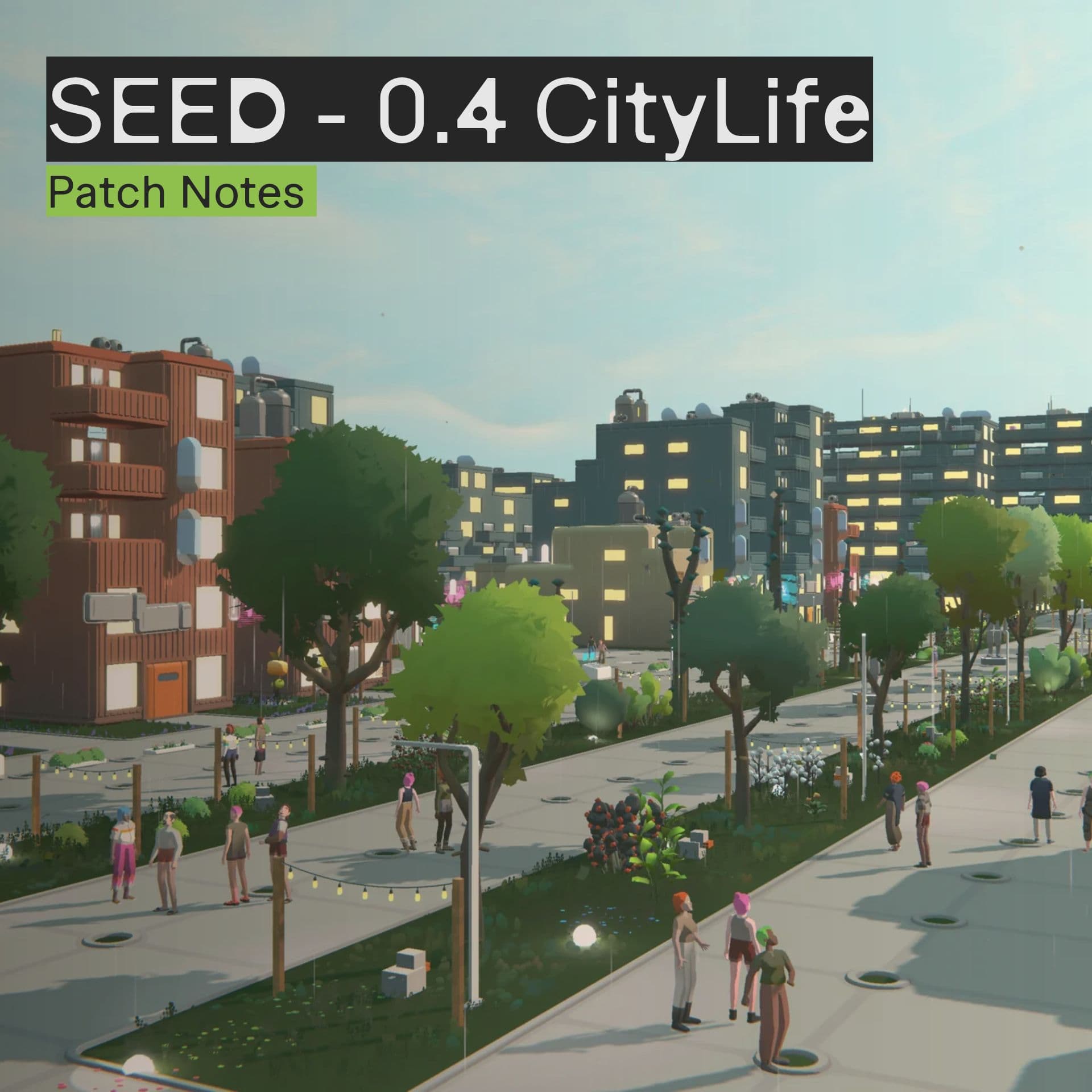
SEED CityLife Patch Notes
Patch Notes for the CityLife patch coming November 3, 2026
HIGHLIGHTS SECTION:
Power is coming to Avesta: build power networks in the new Utilities tab of the Land Planner, before free power is switched off. See the dev blog for more information.
Service location owners can create restaurant-like venues with two new food services: Take-away and Dine-in.
The Business and Society windows have been combined and redesigned into the new Organizations window. See the dev blog for more information.
Your Seedlings can now train construction skills.
You can now access Spark from your browser at https://spark.seed.game/.
Utilities
Until now, Seed Industries supplied every machine with wireless power. That supply can no longer be sustained and will be switched off soon. Utilities let you and your society be in charge of power generation and distribution to machines and buildings along power lines.
The Land Planner has a new Utilities tab and the built-in tutorial will help you get started.
What changes:
For now, machines keep working without power, so your production and businesses won’t stop. Soon, Seed Industries will turn off the free power supply. From then on, machines that run on electricity will need a power network to work.
A machine’s power supply in kW now shows in the Object Catalogue’s Properties panel and in the machine’s context menu.
See the dev blog for more information.
Making power:
Solar Panels generate electricity between sunrise and sunset.
Seedlings refuel Fuel Generators through a new refuelling activity.
Powering machines and buildings:
Draw local power lines on a plot you manage. Machines and generators placed next to a line join the network.
Machines inside a building are connected automatically on the building’s own grid.
“Place machines” mode helps you place machines, generators and transformers from your storage without leaving the Utilities tab.
Generators placed inside a building now also send their extra power to the network outside the building.
Sharing power across the society:
A Power Substation is the start of the society’s power network.
Society power lines run across the society’s territory and connect only to substations and Power Transformers. A Substation cannot be connected directly to Local power.
For Example: If you want to connect a solar panel to a stove on another plot by using just a substation and a society line that won't work, you will have to provide each plot with a transformer first that connects the plot with the society network.
Use the Power Transformers on a plot to pass power between the society’s power lines and the plot’s local power lines.
A Power Substation stores extra generated power and acts as a battery.
Full Blog Post: https://seed.game/news-from-avesta/utilities-powering-your-society
Service locations: Restaurants
Service location owners can create restaurant-like venues with two new food services: Take-away and Dine-in. Each has layout, furniture and staffing requirements to help you build and run your restaurant.
Take-away
An employee takes the customer’s order, and the kitchen prepares the food. The customer collects their meal from a pick-up counter.
Dine-in
Customers come in and sit at a table. The waiter comes to take their order, and the food is prepared in the kitchen and delivered to the table. The customer then consumes it and frees the table for the next customers.
Service editor / Requirements
Choose Basic (the experience we already had in-game), Dine-in or Take-away in the Serve service editor. The editor guides you through furniture, storage and staffing requirements, with links to suitable objects in the catalogue.
Both new services require a Kitchen Ticket Board and a pick-up counter. Take-away counters must be in a public room accessible to customers.
Menu edition
Select foods for your menu and set each dish’s price and daily visitor limit. Choose 0 for unlimited visitors.
Ticket board
This is an essential piece for both take-away and dine-in services to work. When an order is placed, a ticket is created here. The business owner can view the current kitchen production status on it, including all pending and ongoing orders. For kitchens with more than one cook, it also shows who is preparing each order.
Pick-up counter
Finished meals wait here for collection. For Dine-in, waiters collect dishes and carry them to the tables. For Take-away, customers collect their own meals, so the counter must be in a public room.
Jobs
The editor shows the staffing requirements for your chosen service. Your workers take orders, prepare meals, deliver food and clear leftovers from counters and tables.
Map view
Find food services in Map View, grouped by Basic, Dine-in and Take-away. Your business’s Active Services cards also show each variation.
Wait rings
A ring above a take-away customer shows their remaining patience while waiting to be attended. Hover over it to see what they are waiting for and how much time remains.
Appointments
Two Seedlings with an appointment at a dine-in location eat together. They greet each other in a conversation and then find a table to have a meal together. When they finish, they say goodbye to each other and leave. If the location has no dine-in service, they still do the same greet-converse-goodbye sequence without eating.
Full blog on restaurants here: https://seed.game/news-from-avesta/restaurants-and-takeaways
Balconies
Higher tier building styles now also support balconies on upper floors. Balconies are still in an early access stage, so expect to see small gaps and visual artifacts while we improve the visuals.
Organizations Window Rework
The Organizations window is reworked. A rail on the left holds a Home tile (My Organizations), a tile per organization type you belong to (Societies, Businesses, Groups, Departments) and New Organization, each with a tooltip. Home lists your starred organizations in your own order (your society starts on the list, hover a row and click the star to add or remove one), your Seedlings, and a "Needs attention" card.
Under each type you can browse your own organizations or a searchable list of all of them, with a comparison table. All Societies lists every island's societies. Another society opens with an Overview (without its treasury) and a Constitution page, a private society shows only population and tier.
On the Roles page, "+ New" opens a menu of role templates or Custom role, and "Duplicate" in a role card's menu copies an existing role.
Deliveries, Market, Services and Contracts are now shown as rows under each location.
Full blog post: https://seed.game/news-from-avesta/dev-blog-reorganizing-organizations
Founding Tickets
Founding a society now requires a Founding Ticket from every lobby member, host and joiners alike. You need one to create or join a lobby, and it is spent only when the society is founded: leaving a lobby or letting it expire spends nothing.
New accounts get one Founding Ticket for free, and the Cultivator Inventory in your Cultivator Profile shows how many you hold. Tickets can be purchased in the Store with pollen, but next updates will introduce new ways of getting them.
After a society is founded, every member of its lobby gets a 30 day cooldown during which they cannot create or join a lobby. A lobby with a member on cooldown cannot be deployed.
Gatherings
A gathering is a one-time social event your Seedling hosts for other Seedlings of its society. Create an event in the Scheduler and switch it from Schedule to Gathering, name it, pick a location, then either invite Seedlings or turn on "Post this gathering on Spark!" so your Seedling announces it on Spark and any Seedling in the society can join from the post. Only Seedlings of the host's society can join, and each pays the location's entry fee when it arrives.
A gathering has a type instead of a priority list: Hangout (default) or Meal, picked from a dropdown in the event composer, each with its own icon and a wrapping description. The Scheduler's details for a gathering match Spark's attend modal: status and time, who is going and who is only invited, venue and fee, host, type, and a "Your seedlings" checklist. An invitee who is busy at that time gets a warning mark before you create the event.
Everyone attending a gathering is reminded about 15 real minutes before it starts. You can turn the reminder off per event in the Scheduler or by disabling the "Schedule Reminder" notification category.
Seedlings at a gathering talk about its theme, also when it only has a name, and their lines show where they are.
SeedMail
SeedMail is a new in-game mail client where you can write to up to 20 players, save drafts, and reply, forward, star, archive, or trash messages, with announcements and release notes from Klang Games and Seed Industries arriving in their own folders. Society leaders can mail the entire society at once and optionally notify everyone. SeedMail is also available in the mobile app, with videos in mail playing directly in the message on both desktop and mobile. SeedMail also supports various rich text features.
Construction skills
Your Seedlings can now learn and develop new construction skills. Working on a building trains both Construction and the skill for its exterior style. Construction skill books are also available in the Marketplace.
We’re also working on a way to hire other Seedlings to help with your construction projects. Alongside that, skill levels will determine which building styles and sizes a Seedling can work on. Until then, your Seedlings can build and train freely within each style’s size limits. Build Mode previews the future skill requirements to help you plan ahead.
Territory claims
The 2M SeedCoin claim fee is now paid off over time for Tiles bought with the Harberger logic:
Every payment builds up a claim credit, up to the 2M claim fee
This includes: the daily tax payment, the prepaid first tax day and every fee for raising the declared value
Losing a claim, by abandoning it or by not paying its tax refunds the accumulated claim credit to the society wallet
Buying out a claimed tile now costs the declared value plus 2M SeedCoin, both paid to the seller, and the buyer takes over the claim credit built up so far.
Achievements
There are now over 200 new Achievements for Cultivators to complete. They are long term objectives that can grant Cultivator XP, Seedcoin to the Society and other rewards. Find them by clicking on the medal icon!
Society Goals
Society progression now has 11 tiers instead of 6: Expedition, Camp, Advanced Camp, Small Town I, Small Town II, Small Town III, Town I, Town II, Town III, Large Town I and Large Town II.
Settlement is now called Advanced Camp, Town is Small Town I, City is Small Town III and Metropolis is Town I.
This means most new society tiers are added behind the existing tiers, and only one society tier is injected between two existing tiers
The new society tiers have new society goals
Societies will not lose any roles or permissions they unlocked already
Population caps per tier are now 10, 15, 20, 50, 75, 100, 150, 200, 250, 300 and 500. A society that already has more Seedlings than its new cap keeps them, the cap only limits new joiners.
Large Town II has no goals. Reaching it fires the all-tiers-completed celebration and unlocks Self-Governance (every adult can propose and vote on adopting a government structure) and Leader Authority (deleting objects, managing departments, creating and editing roles). Self-Governance used to come with the old final tier.
Societies that had already completed Metropolis are reopened and continue into Town II with the new goals.
Self-Governance and Leader Authority unlock when a society completes Town I (formerly Metropolis), the same as before, and not at Large Town II. Societies that had already completed Metropolis keep their Constitution tab and can still propose constitution changes.
Fix: The Town I goal "Big City Life" (formerly Metropolis) now names the "Plaxin Luxury Speaker" it needs in its description and tip instead of "sound system" and "speakers", so placing another speaker no longer looks like it should count.
Fix: Building goals no longer count Outdoor Blocks, just like Build Mode.
Fix: A goal no longer shows a role chip for a role that is hidden or deleted.
Autonomous job switching
After 7 days away, a Seedling that holds exactly one job may spot a better-paying opening and ask in Seedling Chat to switch to it, naming the business and the pay per week. The request says that if you are around by the time it switches, it needs your go-ahead first.
A better-paying opening pays at least twice as much per week as the current job and no less per hour of work. Jobs with shifts of 16 hours or more and roles with no work day are never proposed.
Players have 24 real hours to answer. If they do not and are still away, the Seedling switches.
After a switch the Seedling keeps the new job for at least a week before it can switch again. If the new employer then pays it less than it switched for, or asks for more work hours per week, that wait ends and it can move the next morning to a job paying at least as much.
A Seedling never switches away from a job at their Cultivator’s business, however long the Cultivator is away and whatever the wage. A Seedling with several jobs at one employer does not switch, and no more Seedlings are sent to an opening than it has positions.
A Seedling whose employer did not pay its wage counts its wage as 0 and proposes a switch to any job that pays. A coworker's missed payment does not affect the other employees.
Full blog post here: https://seed.game/news-from-avesta/autonomous-job-switching
Memoria
Memoria is where the lives of your Seedlings are remembered and celebrated after they pass away. It includes a full life record of their growth and relationships, as well as a highlight reel. There is also a Family view which displays your Seedlings’ family tree, including parents, partner, siblings, and their children.
Building construction cost
A new material cost formula lowers the extra materials a building's upper floors cost, so tall buildings and skyscrapers need fewer construction materials than before.
Building painting
Seven new coloured paint buckets (Red, Blue, Yellow, Orange, Green, Grey, Cream) can be crafted at the Chemistry Station.
Exterior > Paint in the building designer offers 18 building colors as a swatch grid next to Original (name on hover). Each exterior style has its own allowed colors. Painting keeps the palette and geometry.
A painted color adds its paint to the construction materials, one bucket per Structure or Balcony block (Outdoor blocks are free, Original costs nothing). For example, Birch needs Cream Paint, Charcoal needs Green Paint, and Harbor and Pine need Orange Paint. Changing the color changes the whole building.
Pregnancy
A pregnant Seedling shows a baby bump that grows over the pregnancy, in the world on desktop and in the mobile app. The bump grows in five steps, at 10%, 30%, 50%, 70% and 90% of the pregnancy, stays full while the birth is delayed and goes away once the baby is born.
Intro video
A new intro video giving a glimpse into the lore behind Avesta play for new players when starting the game.
The volume of videos can now be adjusted while playing the video using the new volume control.
The intro video plays each time you start the game until you uncheck "Show Intro Video" in Settings > Gameplay. When a new video comes out, it plays again until you turn it off.
Seedling aging
Seedlings now look their age while they grow older. Their appearance changes in the world, in portraits and in their uploaded avatar. It starts with hairs becoming grey at around 42, and at about 60 years the face changes with a larger nose and sunken eyes. Skin tint changes, and age spots appear, growing stronger up to the full life span of 120. The age spots differ per Seedling.
Sky and weather
The sky visuals have been refined, adding twinkling stars to the night sky, and soft halos around the sun and moon together with a glow band along the horizon, showing the moon, sunrise, and sunset in the thin strip of visible sky.
On some nights an aurora can be seen in the sky.
The color of the sky influences the color of the fog, blending the horizon where the terrain meets the sky.
Volumetric clouds and cloud shadows change depending on the weather.
Cloud Details Quality can be changed in the graphics settings.
Societies, roles, permissions, and governance
Creating or editing a role is now a step-by-step editor: Main Details, Assignment, then the optional Schedule, Required Skills and Permissions, with a strip at the top showing each step.
Elected roles can now have a schedule.
The role editor's Permissions section has been reworked for clarity. It is now split into Menus, World and Society tabs, with a card per game window (Properties, Land Planner, Organizations, Rooms, objects and vehicles, Real Estate Market, Spark). Hovering a permission shows one sentence saying what it allows.
The wallet permission is split into three: "Spend money" (purchases, fees, roads, land, taxes, budgets), "Transfer money" (sending money to another wallet) and "See finances" (balance, history and the Finance section).
A constitution vote now clears the government roles even when the winner is the current constitution, so re-voting Autocracy removes an absent Autarch and Scion and restarts every election. Members keep their Citizen or Subject role.
Controls decided by a permission show an icon: a lock when you cannot use it, an eye when you can see a section but not change it, and a key when you can. Its tooltip says which of your roles gives or lacks the permission.
Improvement: The Migration UI now says whether your society has a Spaceport and adds better feedback about what happens on migration.
Fix: A business whose Owner migrated their last Seedlings out of the society now closes once only employees remain, with its money and buildings going to the society, instead of staying stuck with nobody able to open or disband it. Before you migrate, the Migration panel warns about this and offers a "Disband Business" step.
Fix: A business owner can transfer the business to another of their own Seedlings with "Change Owner" again.
Fix: The President of an Electoral Autocracy can now seize plots and buildings, like the Autarch and the Prime Minister.
Fix: Societies with no members left no longer keep opening elections for their vacant seats. A vacant seat with an heir goes to the heir when nobody can vote.
Fix: Income, VAT and business tax laws show rates such as 15% and 7.5% on policy cards and ballot names instead of 15.000001% or 7.5000005%.
Fix: When a role edit or a Quick Hire role creation cannot be sent, you now see "Updating the Role Failed" or "Creating the Role Failed" with the reason.
Fix: Society > Roles > Assign lists every Seedling in one scrolling list instead of pages of five, and keeps the picked Seedling when you search or change tabs.
Fix: The migration confirmation dialog names the society you picked instead of your own.
Fix: Long names in Closed Ballot results fill the row and end in an ellipsis instead of running under the vote count.
Fix: Contracts and proposals for a deleted building now end, including cross-society contracts and after a canceled construction.
Fix: A Seedling punished with the Criminal role now keeps it until the punishment ends or it is pardoned. Before, it got its Adult role back after about 20 seconds. While punished, it cannot use Adult permissions such as property, plots, farming and voting.
Fix: Enter Password and Visit on a password-protected society in the in-game world map now open the password dialog. The "Unlock Island" password prompt when creating a society in-game works again too.
Businesses, jobs and service locations
Jobs now pay their wage at the end of each shift, and only on the job's work days. Before, a job paid 24 hours after hiring and then every 24 hours, every day, so a Monday to Friday job paid seven wages a week. It now pays five. A Seedling hired during a shift is first paid at the end of its next full shift. A job with every day or no day selected still pays every day.
Seedlings of away players that look for a job on their own compare jobs by pay per week, not per day, so a Monday-only job at 100 no longer beats a seven-day job at 90.
Map View shows a small orange clock icon next to a service location's "Open" pill when it closes within the next 2 in-game hours.
Seedlings sent to a service location by their schedule or an appointment now rate it the same way as Seedlings coming through usual scoring. A visit that expected a service and never got it gives 1 star, a visit that expected nothing and tried nothing leaves no review, and scheduled visits are no longer floored at 3 stars.
Improved readability of location's nameplates in Map View.
Clicking a building your Seedling has never entered shows its name and "<Seedling> hasn't been here" instead of a menu titled "Unknown". A service location shows its rating as "?", with the stars, hours, fee, and Services card at half opacity, Open/Closed without its color and grey service badges, and only the "Visit to discover" button stays bright. Residences and workplaces show a lock and the building type, dimmed the same way.
Fix: A Seedling no longer receives a wage from a job that lost its schedule, for example a business whose buildings a mayor seized. Such a business no longer keeps paying wages to Seedlings who do not work there.
Fix: A Seedling whose bed or shower at a service location is interrupted, for example by the end of its schedule block, now counts as served. Before, most sleep visits ended unserved with a 1-star review.
Fix: A customer inside a service location can no longer be pulled outside by a Seedling to do some random activity. Before, the customer left, came back and paid the entry fee again, up to several times a day.
Fix: An employee no longer walks out to take an order from a customer who stepped outside the venue, which canceled the order.
Fix: A Seedling with the general Address Need priority (no need picked) is only sent to a self-serve location for a need below the priority's slider. Before, it could walk there for a need it did not have, do nothing and leave a 1-star review.
Fix: Staff can now serve a Seedling that is on an appointment, so customers arriving together through a shared calendar event get served. Other Seedlings may start activities with a Seedling on an appointment, except relationship ones such as hugs, dances and conversations.
Market and trade
Market sale notifications now name the wallet that received the money, for example "You sold 5 Cheese Fries and earned 500 SeedCoin, paid to Vista Selene."
Fix: A Buy Order no longer pays more than the price of the Sell Order it buys from. The price on your Buy Order is the most you pay per unit.
Fix: A Buy Now that gets fewer units than you asked for now says how many it bought and why, for example "You bought 5 of 10 Cheese Fries for 500 SeedCoin. The seller had only 5 left." A Buy Now that buys nothing also says why.
Fix: When only part of a sale is picked up, the seller is told how many units sold and that they keep the rest.
Fix: Market search on Supply and Demand now finds every buy order and offer.
Fix: The Supply card grid loads more cards as you scroll near the bottom instead of loading the whole catalogue while idle.
Fix: The "Cheapest First" and "Most Expensive First" toggle in Marketplace browser now follows a sort picked in the list header.
Fix: Marketplace browse for a player whose society has a Spaceport shows a spinner until the Spaceport is known, instead of first listing own-society results and then switching to global results.
Fix: Buy Now and Create New Order now select Economy shipping as default.
Fix: Global Order shipping now uses Economy, Standard and Express across all UI.
Fix: Items sent from Orbital Storage to a place that cannot receive them, for example, a canceled construction site, are returned to Orbital Storage with a notification saying so, instead of being lost.
Deliveries and drones
Added hovering warning on full inboxes.
Added warning when a Self Delivery hasn’t been picked up for at least one in-game day.
Added notification for when a delivery falls back to being a Self Delivery after the assigned business is no longer able to handle it.
Added option in the deliveries panel to quickly send your currently selected Seedling to pick up a Self Delivery.
When a delivery drone's haul fails after pickup, its manager sees "Can't unload" in the context menu and a warning on the drone's row in the Business window's Deliveries page. The tooltip also names the failed delivery, the items stuck on board and reminds players to "Set a storage container nearby to accept these items.”
Delivery drones in internal mode now also carry their branch's sales to Seed Industries, exports to the Spaceport and deliveries created via drag and drop to the player's other buildings.
Fixed transfers between two buildings on the same plot being blocked by access rules.
When a business closes its delivery service, deliveries assigned to it fall back to Self Delivery instead of staying stuck.
Production and crafting
20 restaurant kitchen pieces (counters, fridges, a freezer, shelves, a dishwasher, a cash register, a fryer, a griddle, a grill and more) and nine dishes (Algae Dog, Algae Skewers, Berry Donuts, Mushroom Dumplings, Mushroom Steak, Mushroom Tacos, Pumpkin Fries, Toasted Mushroom Sandwich, Vegetable Skewers) are craftable. The dishes are cooked on the fryer, griddle and grill, and seven existing dishes can now also be cooked there. The freezer slows food aging to 25%.
The Seed Separator's footprint grows to 2.17 x 2.35 x 3.07 m, so one placed flush against a wall or neighbor can now overlap.
The 120 minute automatic machine stage is removed from: Plaxin Single Bed, Plaxin Work Table, Plaxin Ergonomic Chair, Rubber Duck, Toy Balls and Toy Robot.
Fix: Quick Produce refuses a craft the Seedling cannot start, for example when an input does not fit its inventory, and shows the reason in a dialog.
Fix: Quick Produce now mentions the exact skill level required to unlock a prerequisite skill rather than just saying something unlocks at level 0.
Fix: The Aluminum Ingot is now made at the Large Furnace instead of the anvil.
Fix: A production run whose outputs do not all fit into a nearly full machine no longer silently loses one of the outputs. The run is refused and its inputs stay in the machine.
Fix: The 28 schematics crafted on the Ceramic Kiln now train Pottery (along with Crafting and Masonry) instead of Carpentry. They still require Carpentry level 30 for now; the requirement moves to Pottery in a later update. The two skylights keep Glassworking.
Construction and placement
Buildings under construction appear in the scheduler's location search.
Fix: A chair can snap to a seat of a table that is still a hologram and becomes connected once the table is constructed
Fix: Extra validation will now ensure that objects are not accidentally placed outside of your outdoor areas, which would sometimes lose ownership of the object.
Fix: Exterior wall attachments such as a City Billboard can no longer be placed to overlap with neighboring buildings, which caused the neighbor to accidentally steal the billboard.
Fix: A building block can no longer be placed on top of, under, or diagonally above a neighboring building, where the two buildings would overlap. Existing building blocks that sit right above or below a neighbor may need to be removed before your next edit of that building goes through.
Fix: With diorama mode on, hidden walls no longer get in the way when placing objects or telling a Seedling to go somewhere by clicking inside a building.
Property and renting
Fix: Outdoor objects such as campfires, tents, lamps, signposts and solar panels can now be deleted, with the same delete permission as furniture.
Fix: The Properties window no longer slows the game down for players with many properties while it is open.
Fix: In Properties, a plot's deliveries page is named "Plot Deliveries". An empty Deliveries page says "No deliveries." and an empty Auto-Sell tab "No auto-sells yet.", instead of a blank area. On a building's Services Overview, the rating no longer overlaps the opening hours.
Containers and storage
The Small Warehouse Shelf now repairs with 3 Sanded Wood instead of 1 Steel Frame and 2 Sanded Wood.
Newly placed Storage Platforms, Warehouse Shelves, the Frontiers Expedition Container, the Frontiers Storage Platform and the Kernel no longer accept everything by default, so they stop pulling in every loose item nearby. Containers already placed keep their setting, and "accept everything" can still be switched on per container.
Fix: The Single Sanitary Unit and the Sanitary Units Set description was incorrectly saying that items stored in them stay fresh. Items in them age like in any other storage.
Finance and wallet
Fix: A very large balance in the Finance window stays inside its card. Balances in the trillions show a "T" suffix instead of "9223372000B".
Fix: The transfer amount in the Wallet app keeps what you type, and an amount above your balance shows "Not enough balance" with Transfer disabled instead of changing to your balance or 0.
Fix: Outgoing wallet transfers no longer show a plus sign in the wallet history.
SEED Store and Cultivator Inventory
Fix: The SEED Store buy window shows "Not enough Pollen" under the disabled Confirm Purchase button when your balance is short.
Fix: A store tab whose offers are all in the featured carousel no longer says "No offers in this category yet."
Seasonal events
Fix: The Dezima Donations tab in the society window is now disabled.
Fix: The Red, Orange and Green Jack-o'-Lantern icons.
Room cleanliness
Room dirt now shows as dirt across the floor of the room instead of separate dirt patches. Each room grows dirtier over time, so patches will no longer appear inside walls where Seedlings could not reach it.
Seedlings clean a room at a random spot in it, and the floor dirt disappears once the room is clean. You can use the new "Clean room" action in the building's context menu.
Seedlings
Seedlings no longer eat raw mushrooms, including Golden Cap, or raw algae unless they are in a food crisis.
Seedlings walk at more consistent speeds. Within a building movement is slower, and travel between locations is slightly slower, but direct commands are still fast.
Idle Seedlings sit down on a chair, bench or couch near them (within 10 m in the same building, 20 m otherwise). Wandering Seedlings without a work spot sometimes pick a free chair, preferring private rooms and seats without a table, and stay seated for a while.
Wandering Seedlings in a room with a window sometimes walk to a spot beside it and face it, shown as "Looking out the window."
A Seedling on a work shift sometimes wanders back to where it last finished work, shown as "Waiting for work".
Bored Seedlings no longer "Take a Moment" sitting on the floor indoors. Indoors they pick another idle such as sitting on a chair, stretching or humming. Outdoors and on balconies it still happens.
Seedlings no longer do yoga on their own as idle filler. Yoga still runs when you ask for it in Seedling Chat or another Seedling suggests it in a conversation.
Seedlings react to their room less often: the same reaction (for example "Enjoying Freshness") repeats every 10 real minutes instead of every 3, and after any room reaction a Seedling waits one in-game hour before the next one instead of running several different ones in a row. Room effects on needs are about 3x weaker as a result.
Hangouts and dates that Seedlings agree on in a conversation now meet at a place either Seedling liked going to before, or at one of their homes, instead of any home or open venue.
A get-together between two Seedlings ("Quick Schedule Meeting" in the Social app or a hangout agreed in a conversation) no longer forces relationship activities. They meet at the venue and do what they usually do there, and the calendar names the slot after the get-together instead of "Free Time". Interactions are triggered continuously throughout.
On a date or hangout, when no relationship activity is available and Leisure or Comfort is below 90%, Seedlings use the games, exercise equipment or seats at the venue instead of standing around.
Seedlings remember up to 10 places they rated well. "Quick Schedule Meeting" in the Social app now books the pair at one of those places (the better rated, the likelier) or else at one of their homes, instead of a random home or a possibly closed venue, and books it as a one-day event.
A Seedling that books appointments on its own picks the place the same way, and plans one appointment at a time instead of a whole week. Once per tau a Seedling may book one two-hour get-together for today or tomorrow with one close relationship (25% chance at the default weekly budget of 7), as a one-day event that does not repeat. The weekly appointments setting in the Social app stays the cap, set it to 0 to stop autonomous planning.
A Seedling explores at most one unknown building on its own every 12 real hours, and the wait restarts whenever it learns any building. Crisis and scheduled visits are not limited.
Whenever a Seedling learns a new building, it texts you about it in Seedling Chat in its own words, mentioning anything it did there.
Fix: Booking an appointment in Seedling Chat works in more cases. The Seedling knows today's date, lists the places it could meet, and turns down a time when the place is closed, saying why.
Fix: Child Seedlings no longer get daily objectives such as "Spend Time with Others" that they cannot complete. They get their first daily goal once they are adults.
Fix: A new Seedling, bought as an adult, no longer has parts of its appearance (body type, beard, makeup, voice) randomly changed moments after its creation.
Fix: A Seedling scheduled to Pursue Interest at a gym or arcade now uses the equipment even when the same slot has an Address Need row and its Leisure is high.
Fix: A Seedling scheduled to Pursue Interest such as Kilnwork now finds machines like a Kiln that serve the interest through their queued schematic.
Fix: Seedlings now assemble and move objects you placed whatever their schedule priorities say. Before, with no Build priority set, a placed object stayed an unbuilt hologram with its item stuck as Reserved.
Fix: A Seedling moving an object no longer has the move aborted when its shift ends, which left the packed object in its inventory with nothing built.
Fix: A Seedling whose only job priority is Practice Skill no longer repairs barely-worn machines and wastes repair materials. A bench at 50% durability is left alone and one at 10% is still repaired (default Repair threshold 20%).
Fix: Seedlings now turn to face the object they are repairing instead of repairing it with their back turned.
Fix: Seedlings pick up to-do items whose target is more than 100 m away, such as a tree to chop at the other end of town, instead of idling.
Fix: A Seedling with a paused schedule now prefers to-do list items over going to buildings.
Fix: Seedlings no longer leave some to-do items pending for good, such as production tasks whose inputs vary
Fix: A Seedling no longer walks back and forth to a full delivery inbox of a construction. The haul is skipped and the context menu says "Container is full".
Fix: A Seedling with a nearly full bag is no longer offered delivery hauls it cannot carry. The menu row is greyed out with "Character does not have enough capacity"
Fix: A Seedling ordered to extinguish a distant fire now walks to the fire first. Before, it could start extinguishing without walking and get burned.
Fix: Resource piles no longer block the activity slots under them.
Fix: Seedlings no longer walk to the building wall first and then back to the door when entering or leaving a building whose inbox or outbox stands right behind the door.
Fix: Seedlings no longer rest or meet within 1.5 m of doorways, building entrances and elevators when a clear spot exists, so they stop blocking others and standing inside elevators.
Fix: A bathroom and a baby-care spot no longer get mixed up when the game decides which building pulls a Seedling in. Seedlings with a full bladder or low hygiene head for the bathroom, and parents go to the baby.
Fix: A Seedling migrating between two societies of the same sector is no longer lost
Fix: Dead Seedlings with an open will in another society are listed in the Seedling switcher again, enabling easy travel to their society
A medicine that cannot treat any of your Seedling's injuries or illnesses now stays in the menu greyed out, saying so.
Fix: A critical failure while crafting at a chemistry station will no longer give severe infections.
Fix: Once an injury or illness has had its last treatment, for example a bandaged Open Wound, the health panel shows "Treatment done" instead of waiting for a next treatment.
Fix: A baby's needs could stop updating, so the Seedlings caring for it never went to the crib. Needs now keep updating.
Seedling Interactions and Chat
Content fixes to Interactions
Seedlings now sometimes turn their heads toward their conversation partner.
Seedling panels and menus
Seedlings always show their real name instead of "Unknown" when your Seedling has not met them. The compact context menu dims the title, fades the portrait and adds a "Not met yet" line, and portraits and name tags elsewhere keep their grey look. Buildings your Seedling does not know show their real name dimmed in "Go to" rows and in building chips, and the Mindmap names characters the Seedling does not know instead of "?".
Clicking a Seedling you do not own shows what it is doing under the context menu header: the activity icon and the same text its owner sees, for example "Going to Blue Moon Diner". Between activities it shows "Thinking about what to do next" so the menu stops resizing, and activities such as "Going to Scheduled Location" name their verb.
The Add Seedling panel now also counts the society's manual population limit and the sector cap for "Society full". Name errors ("Give your Seedling a name to continue", "Seedling name must be at least 2 characters long.") show under the name field, and clicking Continue jumps to Body & Name. While the purchase runs, a spinner replaces "Start a New Life".
Hovering Add Seedling when no free slot is shown now explains why, and says to activate a Seedling Slot item in the Cultivator Inventory if you own one.
Seedlings no longer show blocky, flickering self-shadows on their faces and bodies when the camera gets close to a Seedling.
Fix: A full need keeps its thought (for example Comfortable or Hydrated) instead of dropping and re-adding it every few seconds, so the thought bubble no longer restarts its countdown ring and the expired thought list stops filling with copies.
Fix: Clothing a Seedling carries but is not wearing now counts toward the item number on the inventory (backpack) tab.
Fix: The direct control menu disables "Introduce" and speech rows for a Seedling more than 100 m away with "They are too far away right now", instead of opening a "Could Not Start" popup after the server refuses.
Fix: A disabled Assemble Object, production or repair row blocked by the Seedling's load now says "This seedling's inventory is full" instead of "Character does not have enough capacity".
Skills
Fix: The Wood Processing skill, which no activity trained, is removed from the skills panel. Its levels and XP are lost, and its three books can no longer be studied, are hidden from the catalogue and are no longer sold on the NPC market. Wood recipes keep training Crafting and Carpentry.
Scheduler
"Pursue Interest" now skips interests the Seedling has completed and moves on to the slot's next priority.
Fix: When a Seedling accepts an invitation or books a hangout or date, the overlapping routine is now canceled on the event's own date, including an event next week or one inside an overnight routine, and routines on other dates are left alone. Before, the Seedling could end up following neither the routine nor the event.
Fix: After picking a location in the Scheduler, the next new event no longer shows that location as grey search text while saving at "Anywhere".
Social app
Fix: Clicking a Seedling in the Social app's relationships list or its map pin now moves the camera to it and selects it, also when it is far away or inside a building. Before, nothing happened.
Spark
You can now access Spark for Web on your browser. Go to https://spark.seed.game/ and sign in with your SEED account to catch up on posts from Seedlings and fellow Cultivators, and to post, react and comment without launching the game. It even has a few features the in-game Spark does not have yet, like searching a specific profile, a list of profiles you follow, and the ability to mark profiles as a favorite to access them with one click from your sidebar.
We are reducing the number of notifications you receive from Spark to make them more relevant to you. For example you don’t receive a notification anymore on posts you only sparkled. This is an ongoing effort.
We are reducing the number of automatic event posts on Spark. For example, Spark no longer posts when a Seedling starts or leaves a job. We are trying to make your feed have more interesting posts. This is also an ongoing effort.
Fix: The Visit button on a service location's Spark profile is no longer cut off. Chat, Locate and Visit now show as icons, with their names on hover.
Player Chat
Fix: In-game chat no longer stays on its loading spinner after the computer sleeps or Discord disconnects.
Fix: Sending in Global or another group chat no longer fails with "Message was not delivered: Unknown Channel" after the group's Discord lobby was replaced.
Avesta time and taus
A day on Avesta is now called a tau in all player text: "3 taus", "/tau", "Tau 13 · Year 2", "5t ago", and the market chart's range buttons read "7t / 30t / 90t". 7 taus are a week, 24 taus are a year. Real days keep "day".
Times, countdowns, durations and periods carry a symbol that says which clock they are on: Avesta time (AT) or Earth time (ET). Hovering shows the time on both clocks.
Several new widgets have been added to player chat, society announcements etc. These all have to do with time periods, such as “duration” and “countdown”.
Saplings
Harvesting a Berry Bush can drop the Berry Bush Seed (15% chance, 3 to 10 seeds), which shows in the catalog with its own seed bag icon. A planted seed grows through a sprout and a sapling into a Berry Bush over 24 taus.
A harvested Berry Bush no longer regrows. New bushes come only from planted Berry Bush Seeds. Algae and Herb shrubs keep regrowing.
Planted Green Tree and Yellow Tree seeds grow through their own sprout, sapling and adult stages instead of placeholder plants, so the two look different while growing.
Saplings are placed in 22.5 degree steps and keep that rotation when they grow into a tree. A sapling placed at 40 degrees no longer grows into a tree snapped to a quarter turn.
Fix: Picked mushrooms and other wild resources keep respawning on every tile of a sector. Some tiles had stopped getting respawns.
Farming
Crops on a farming field will now vary their rotation and size, making large fields full of crops look less uniform.
Fix: A Farm priority limited to one crop, such as "Farm: Flaxa", also limits planting, so Seedlings no longer haul and plant seeds of other crops.
Mining and deposits
Fix: The radar counter in the deposits overlay shows how many pings your selected Seedling holds and drops when you scan a marked spot, instead of sticking at 10/10.
Map and world
Water Ponds show a dedicated pond icon.
Fix: A Seedling stepping through an entrance door is no longer overlit. Interior lights are dimmer and the morning phase starts earlier.
Camera
One camera bookmark can be marked with the pin button on its row in the camera bookmarks panel. The marked bookmark shows a named chip in the world and an arrow at the screen edge while off-screen, and clicking it flies the camera there.
A pinned camera bookmark is automatically created when claiming a plot within the onboarding tasks.
While placing the tent, the claimable plots panel has a "Next plot" button that cycles the camera through the available claimable plots.
Land planner
Fix: In the Land Planner's Real Estate Market, the plot menu shows "Edit in Land Planner" only on plots you can actually edit.
Items
Fix: Clay and Graphite Powder no longer decay in storage. Graphite used to turn into biomass after 168 taus and clay into stone dust after 730.
Medicine crafted from non-organic materials lasts twice as long before it decays, 336 taus instead of 168.
Start screen and login
Fix: If login action failed with error it no longer results in a soft lock.
Fix: When the second Seedling purchase is refused while joining a society, the dialog now offers "Enter without a seedling" instead of only "Exit to main menu".
Character creator
Fix: In character creation, moving the Eyebrows Position slider back up returns the eyes to the height you set, and moving Eye Position back down returns the eyebrows
Tutorials and onboarding
The Scheduler, Automated Crafting, Marketplace, Business and Construction windows each have a tutorial button that opens a paged tutorial window (45 pages in total) with screenshots under the instructions.
Fix: The “Gather Wood”, “Gather Food” and “Gather Water” objectives no longer complete early and move you to the next tutorial step before you’re done.
Fix: The "Plan for Rest" objective and its Planning article now tell you to pick the “Address Need” priority, the name the Scheduler shows, instead of “Fulfill Needs”.
Fix: The "Explore Your Society" objectives article no longer tells you about a Lexicon book icon that does not exist.
User interface
On a Seedling's context menu, "Cultivator Profile", "Chat with Cultivator" and "Open Spark profile" now sit under the header's three dots button. The house icon on the header and the duplicate chat button on the Cultivator card are gone. On buildings, "Open Spark profile" moves under the three dots above Manage.
Almost all portraits in the game (for Seedlings, Cultivators, Organizations) now open a context menu on click.
The app window's (organization window, properties window, market window) top bar has back and forward arrows that step through the pages you visited across Properties, Marketplace and the Business and Society tabs, like a browser. Alt+Left and Alt+Right (Cmd on a Mac) and the mouse's back and forward buttons do the same, listed in Settings > Controls as "Go Back/Forward in Window". They replace the Back pill that went up to the parent page.
Fix: The thin grey line on top of a dead Seedling's portrait in the Seedling switcher is gone.
Fix: Lists in Spark and the Player Chat members list keep loading older pages when the list is shorter than the window or you stay at the bottom.
Fix: A notification toast that is sliding away no longer swallows clicks, so clicking the HUD dock (for example the Societies icon) while a toast slides out works.
Fix: The missing Matsu Tree Seed and Bristlecone Tree Seed icons are back, Web Fungus has its own icon instead of a placeholder, and the Basic Workbench, Survival Workbench and Small Water Filter icons and thirteen clothing icons were redrawn to match their models.
Fix: When you focus a building, objects on other floors no longer show for a frame.
Fix: Underlined and struck-through text sometimes had the wrong color
Fix: Long building names in a role card's footer end in an ellipsis instead of running under the Seedling portraits.
Fix: Clicking or hovering just below the To-do list window now reaches the world or UI underneath.
Fix: Icon rendering was wrong for oven, stove and vending machine
Fix: The colony mood label and face next to "Average mood" on the society overview now match how the Seedlings feel. A neutral colony no longer shows "Overjoyed".
Fix: The Statistics tab no longer scrolls sideways when a society has many needs.
Fix: The Statistics charts no longer invent or drop days. "Goods produced" and "Population change" end at yesterday instead of dipping to today's half-counted total, a resource stock that ran out drops to 0, a skill's line starts on the day it was first seen, and the mood badge shows the relative change (60% to 66% reads "+10%").
Fix: Amount charts such as Finance "Balance over time" and the Society statistics start their axis at 0. The Pollen price 7t chart shows a lowest-to-highest line per tau with the median dot, "Today" is now "Latest median", and price charts show a % change tag.
Fix: Corrected background effects for panels in Society Lobby and various in-game labels
Mobile app (Seed Companion)
You can place objects on your phone. Tapping a placeable item in the Seedling inventory, or Place on an item in a container's Contents, opens a top-down placement mode where the object follows the center of the screen.
You can claim a plot on your phone by placing the starter tent from the Seedling inventory.
The activity pill on the world-view HUD shows a success chance chip. Tap it for details. The expanded queue shows every queued activity instead of stopping at 8.
Fix: Every locate button (Seedling portraits and map pins in Social, Calendar, Jobs, Spark, the map-pin widget and rich-text chips) now closes the open app and switches to the world view.
Fix: Improvement to text fields. A multi-line field's keyboard shows a return key for new lines, tapping places the caret, double tap or long press selects a word with handles and a Cut / Copy / Paste bar, and dragging scrolls the text while the keyboard is up.
Fix: On the ballot screen, the legislator line and policy descriptions of a proposal are readable now.
You can move a placed object from its context menu on your phone.